During purple teaming or detection development, we often disable the AV by turning off the real-time protection to execute malicious scripts or binaries. Disabling Microsoft Defender Antivirus real-time protection during such simulations changes more than just allowing the execution. It unfortunately impacts EDR telemetry, at least Defender for Endpoint.
In this post, I'll cover the most important telemetry that matters when the telemetry is used to write or validate detection rules.
With a forward proxy, outbound traffic may look like this:
Basic connection telemetry can show the proxy address as the remote destination (RemoteIP and RemoteUrl) rather than the actual IP and domain the process contacted.
Network Protection adds HTTP-level visibility that can identify the destination behind the proxy, and EDR can record the actual domain that is contacted. Audit mode is enough to collect this context, but Network Protection depends on Defender Antivirus real-time protection being enabled. When enabled, in Audit or Block mode, the RemoteIP still logs the forward proxy IP address, but the RemoteUrl becomes available for detection development.
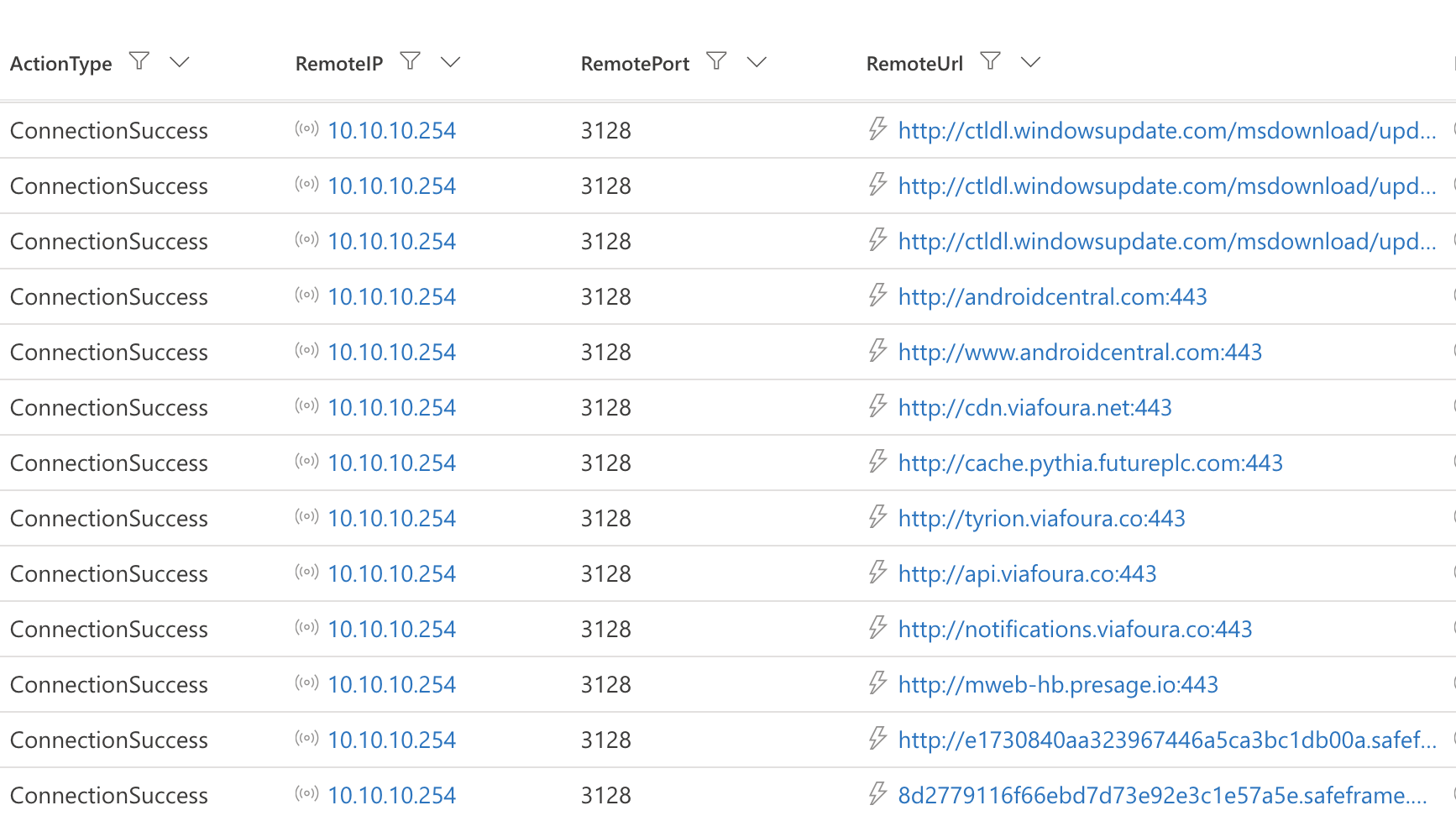
Disabling real-time protection can therefore leave you with a TCP connection to the proxy while removing the event that identifies the real destination.
RemoteUrl may not always be recorded despite the Network Protection being enabled, and I'll try to cover these situations in a later post.
Attack surface reduction rules evaluate risky application and process behavior. Their audit and block events are available in the DeviceEvents table, with action types beginning with
Asr.
One of the most useful ASR rules is below:
- Block executable files from running unless they meet a prevalence, age, or trusted list criterion
This rule evaluates executable files using factors such as reputation, age, and prevalence. It’s especially relevant when the simulated payload is a Windows portable executable, such as an .exe file.
Suppose a test payload is new, uncommon, or untrusted. With the rule enabled in audit or block mode, Defender can produce an ASR event showing that the executable matched the rule. This rule eliminates the need for calculating file prevalence to write a detection.
If real-time protection is disabled, the executable may still run and appear in DeviceProcessEvents and other tables, but the corresponding ASR event is not recorded.
Other ASR rules that may be relevant include:
- Block abuse of exploited vulnerable signed drivers
- Block JavaScript or VBScript from launching downloaded executable content
- Block executable content from email client and webmail
- Block credential stealing from the Windows local security authority subsystem
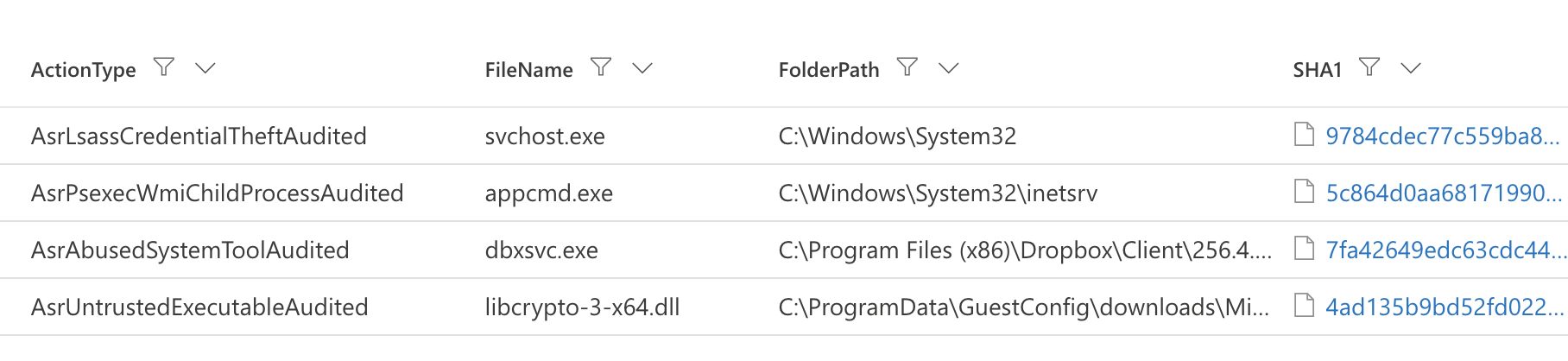
The effect on detection engineering is straightforward. It potentially results in developing an unnecessary query, even a detection, if the ASR rule is in block mode, mitigating the threats already. A rule written only from the remaining process telemetry may be broader than necessary, causing false positives. A rule expecting ASR telemetry may appear broken even though the endpoint wasn’t running with the settings required to generate that telemetry.
Controlled Folder Access also depends on Defender Antivirus real-time protection. Disabling it during ransomware or file-encryption testing can remove the audit or block events that would normally show an untrusted process modifying a protected folder.
Network Protection events may appear under action types such as:
- ExploitGuardNetworkProtectionAudited
- ExploitGuardNetworkProtectionBlocked
These events can contain the destination URL and the initiating-process context. They shouldn’t be confused with the lower-level connection records in DeviceNetworkEvents.
Disabling real-time protection can make a simulation easier to execute, but it also changes the evidence available afterward.
For network testing, you may lose the real destination behind a forward proxy. For executable-based simulations, you may lose ASR events from rules such as the prevalence, age, or trusted-list rule.
The process may still execute and the connection may still be recorded. What’s missing is the Defender context that could make the detection more precise.